Web Design and Usability

Lorenzo Gonzalez

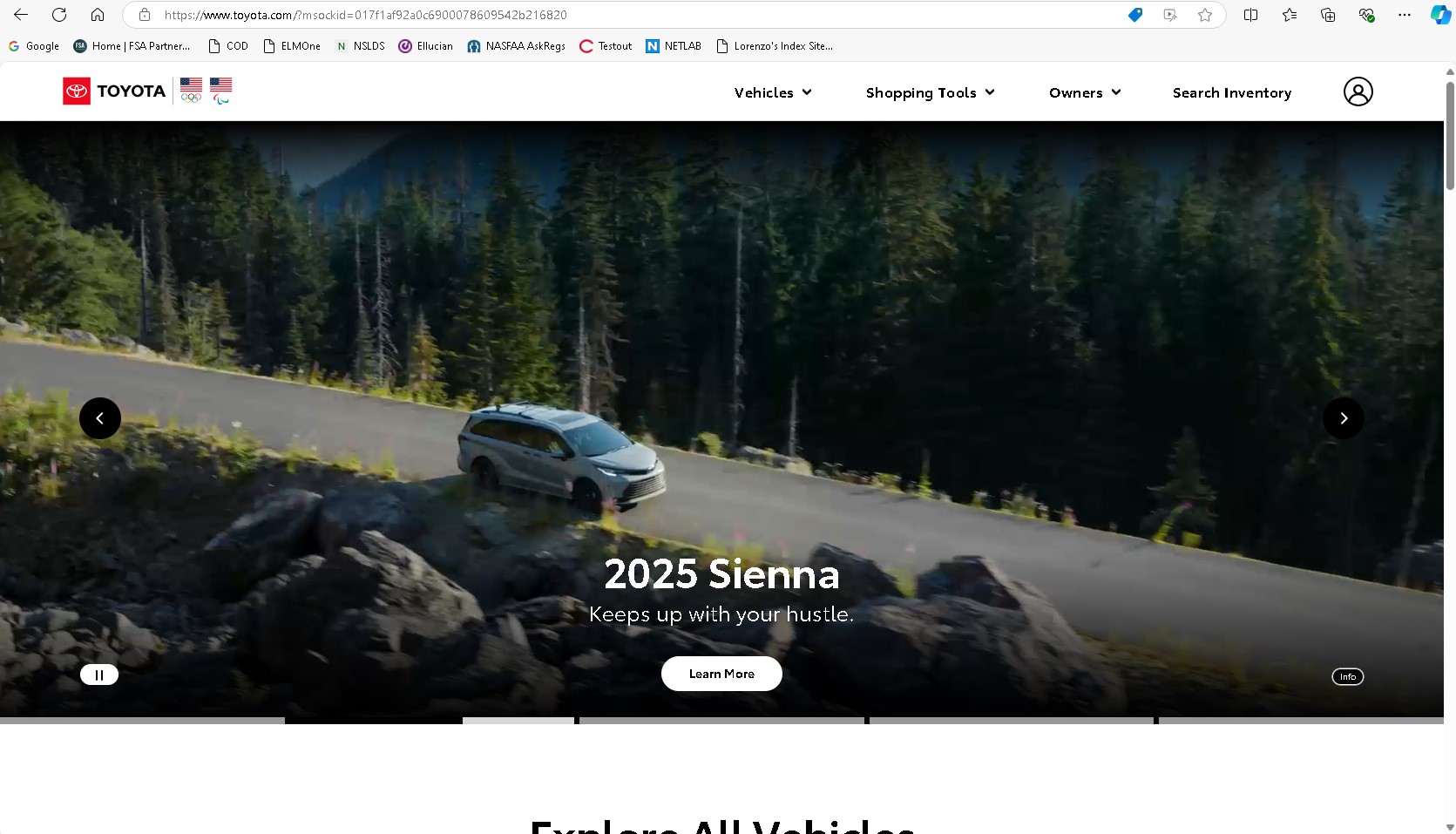
The Toyota webise desing gives me a good example of the "show dont tell" desing element. They have a series of images front and center displaying their products. They dont show a lot of text. Their navigation is clear and easy to access by just having the links on the top right of the page. The design is optimized for different screen widths, I dont find myself having to scroll sideways or with images or sections of the site being cropped off when the window gets slimmer.

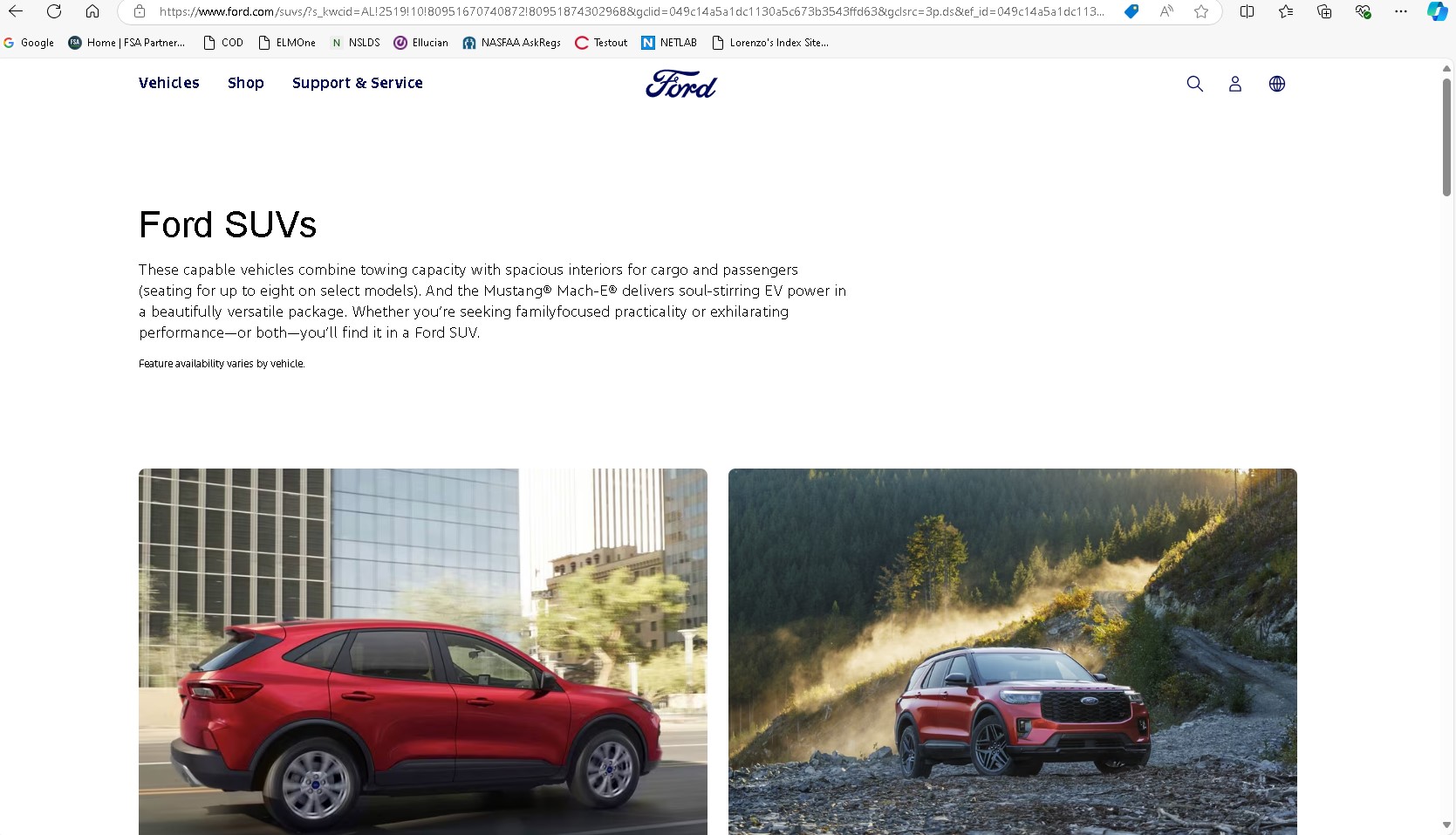
Ford is a major competitor for Toyota when it comes to vehicle sales in the US. Their website design is very similar in some aspects to the Toyota one. The navication is simple. I like their placement of their logo right on top and center. Their color pallate uses a white background which makes the text easy to read and the pictures pop out in the page.
Show dont tell
Toyota does a great job of using pictures and videos as you click throught the website. They are very selective on their imagery making sure it showcases the product and it is displayed in enviroment targeted to their specific audience.
Simplify the navigation
Toyota does a good job at keeping the menu and navigation in the same place, this helps the user be familiar with how to navigate. Once you are in the model specific pages that menu acts like a shortcut to specific parts of the page you are scrolling through, this makes it easy to get to information quick without having to scroll a bunch.
Minimize text
Aside from labels and a few sentences here and there the Toyota page feels light on text. The characters that are displayed are usually large fonts and bold which make it easier to read. When the website must use additional text they keep it to a couple of sentences and using a lighter and smaller font.
Chose a color scheme that fits
The Ford website does not use a lot of color through their website. The instances where they do add a background color or change the font color they use shades of blue which is very representative of the brand. Their logo has been blue and white for a long time and choosing to use these colors makes sense for Ford.
Use short paragraphs
The Ford website utilizes a little more text than the competitor website. They do a good job of keeping paragraph to a handfull of short sentences. THey also use a thin font which makes the text less distracting and cleaner lookingin my opinion. They also use lists to sumarize information instead of having paragraphs.

Improvement suggestions

  1. Browsing through the Toyota website sometimes the size of the images can be overwhelming. I like the fact that they use images to show the products but the sizing sometimes feels like a bit too much, especially on desktop. If the images had a bit of a padding it would make the desktop experience a little more friendly in my opinion. I can see those images working well on mobile.
  2. For the Ford website I found that the image display looked bad when making the window narrower. It would zoom into the image instead of resizing to the new window size. Some of the pages lost image quality when resizing smaller, I noticed this on the hero images mostly.
  3. Once in the model pages of the Toyota website I found myself scrolling though a lot of black spaces, I believe they use it to separate the sections on the page. Using the shortcut at the top of the page will take you to each specific section but if you are just scrolling thoguh all the information there are lots of instances with just background taking up the whole window.

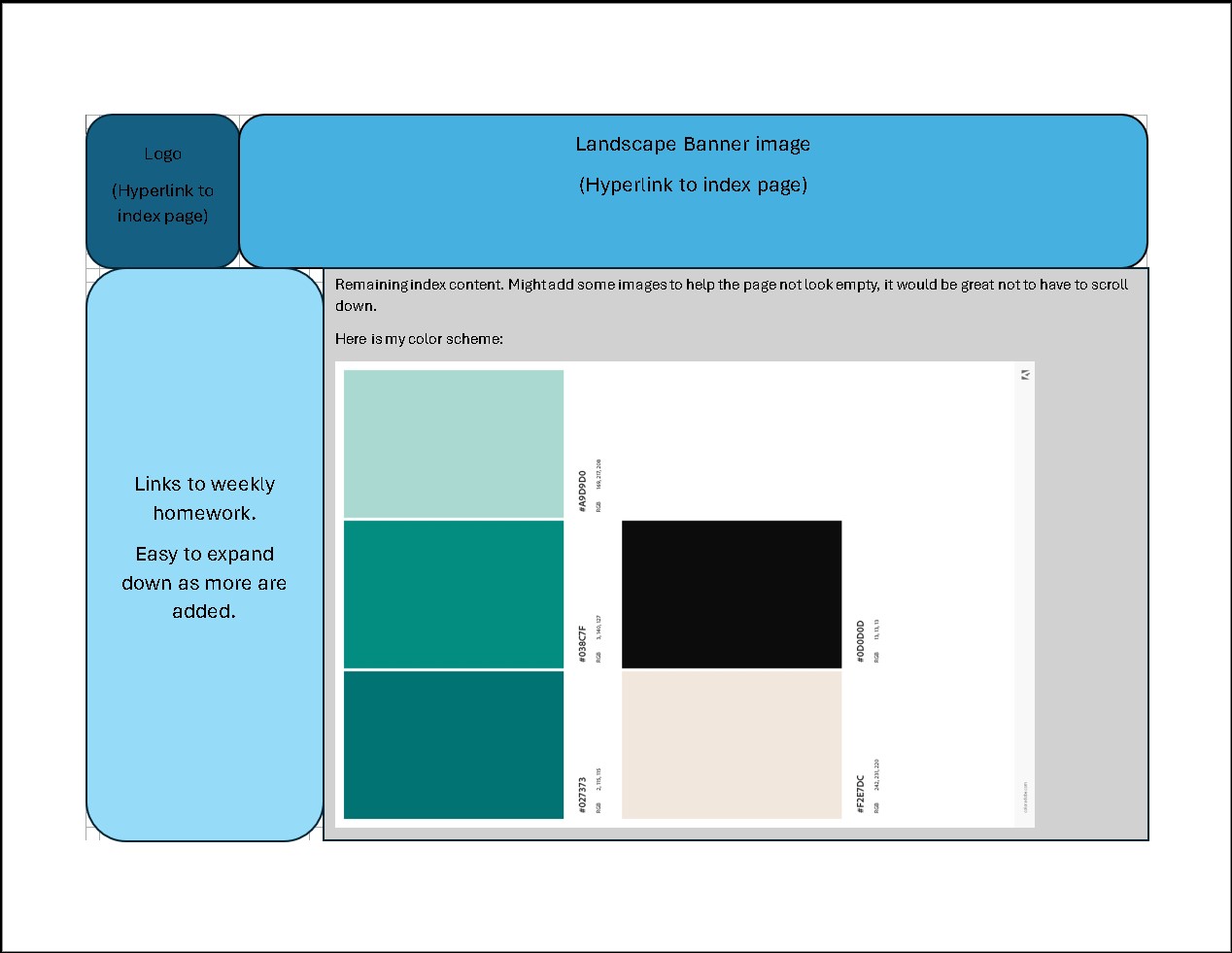
Wire frame and Color pallete